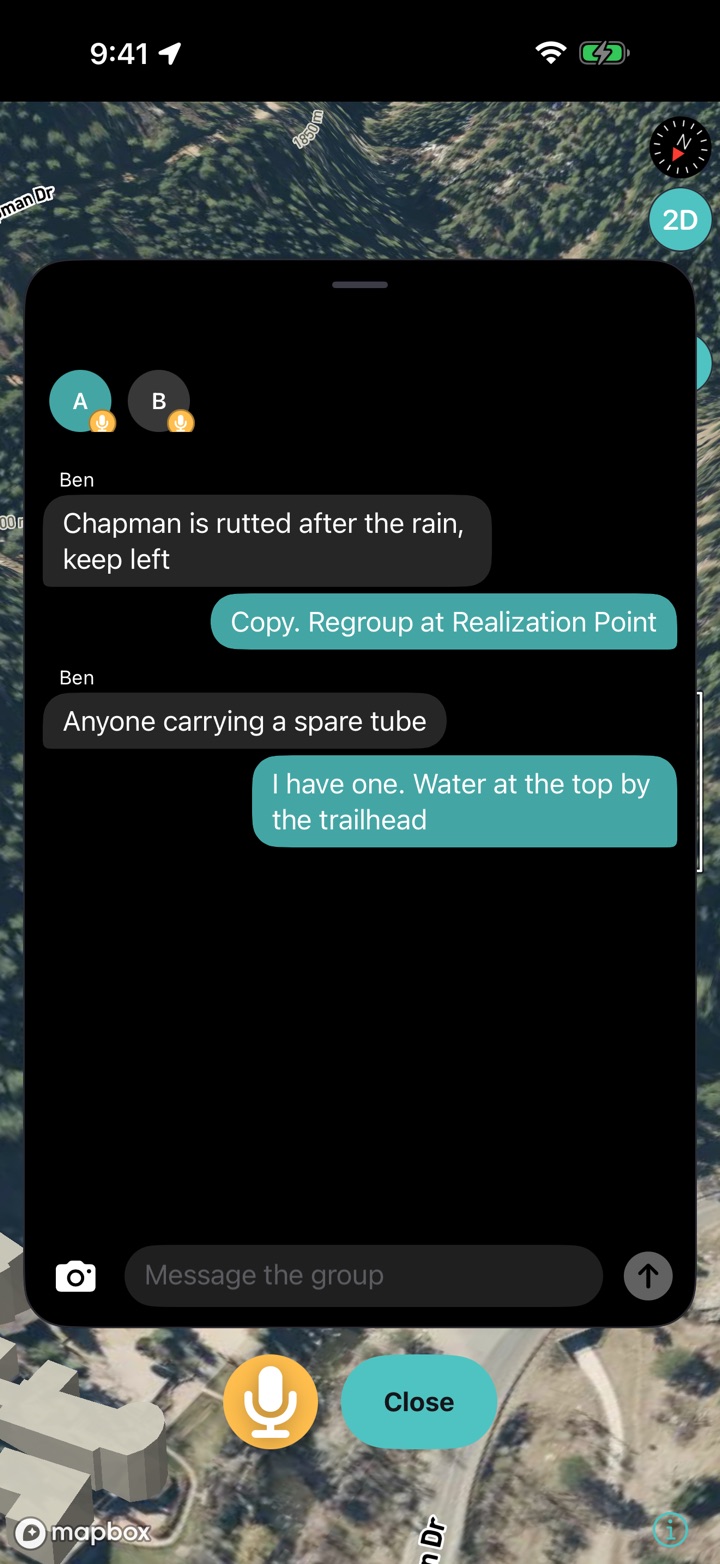
Free to use · no paywalled features

Every ride, run and walk — planned, powered and guided for you.

Kardiacs turns your phone and smart trainer into a full training system: workouts built around your fitness, routes that get you there safely, and daily readiness pulled straight from your health data — all free, with turn-by-turn navigation that keeps working even offline.

No credit card required. Every training feature is free, with no paywalled features.

🟢 Free to use, no paywalled features iPhone, iPad & Apple Watch now · Android & Wear OS in development
See it in action
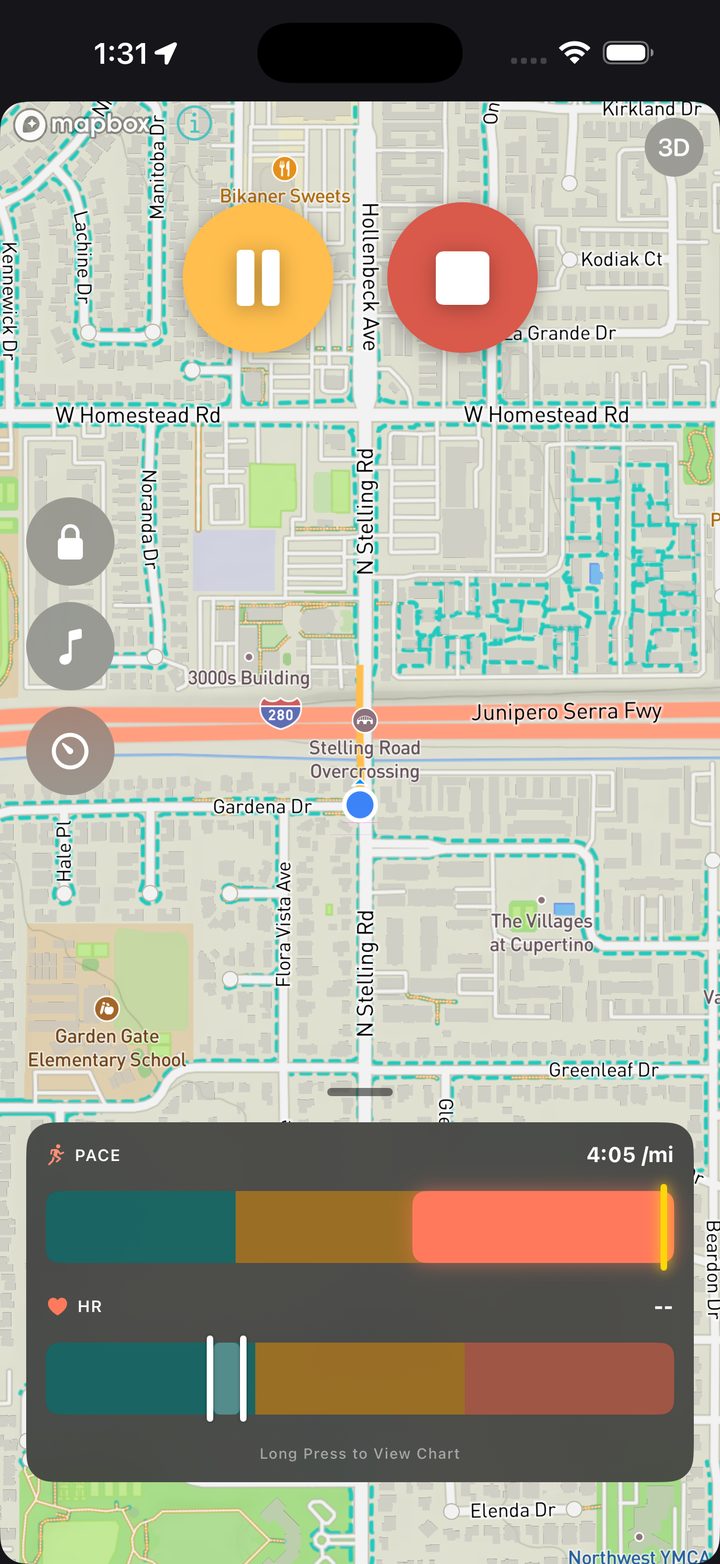
Kardiacs showing a found loop drawn over the map, with live pace and heart-rate zone bars below
Adventure planning

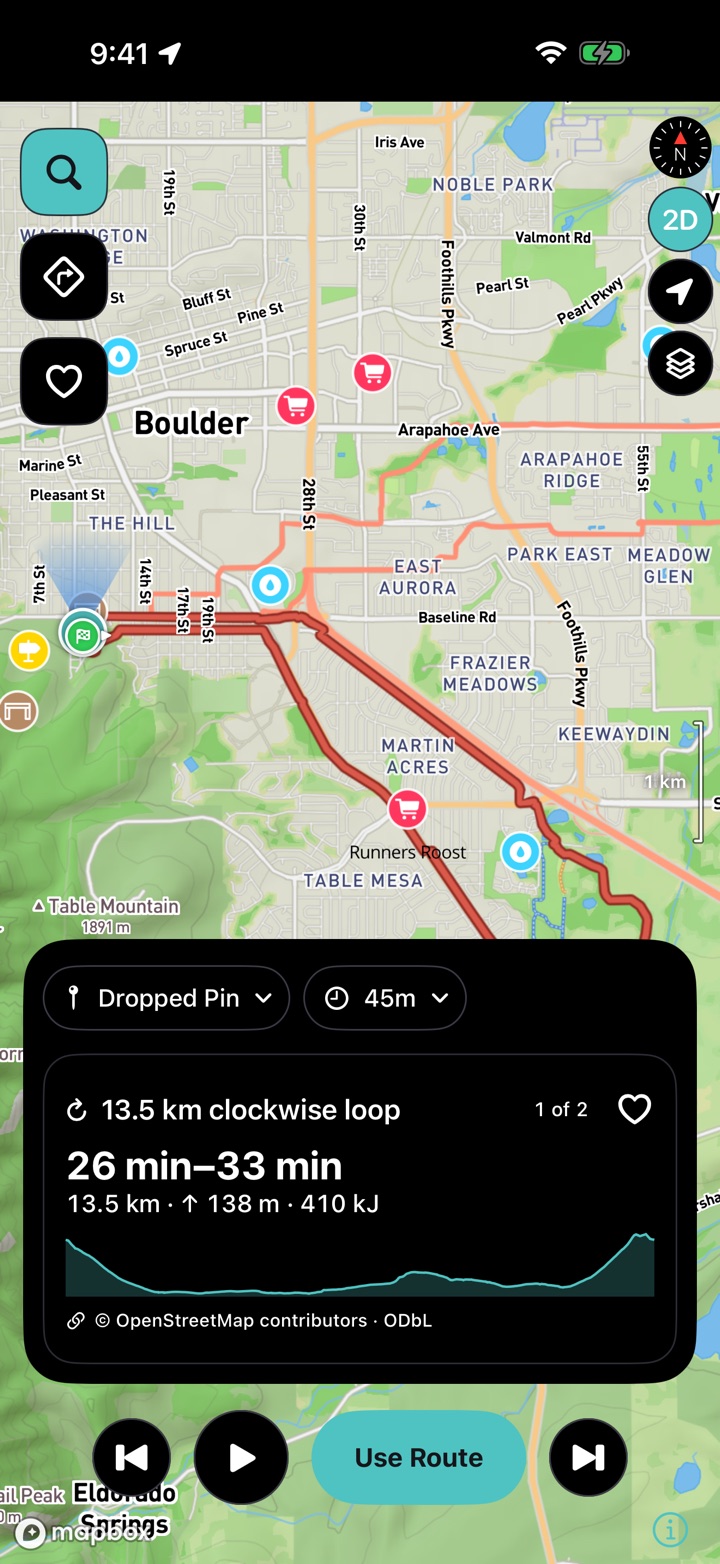
Tell it how much time you've got — it finds the loop

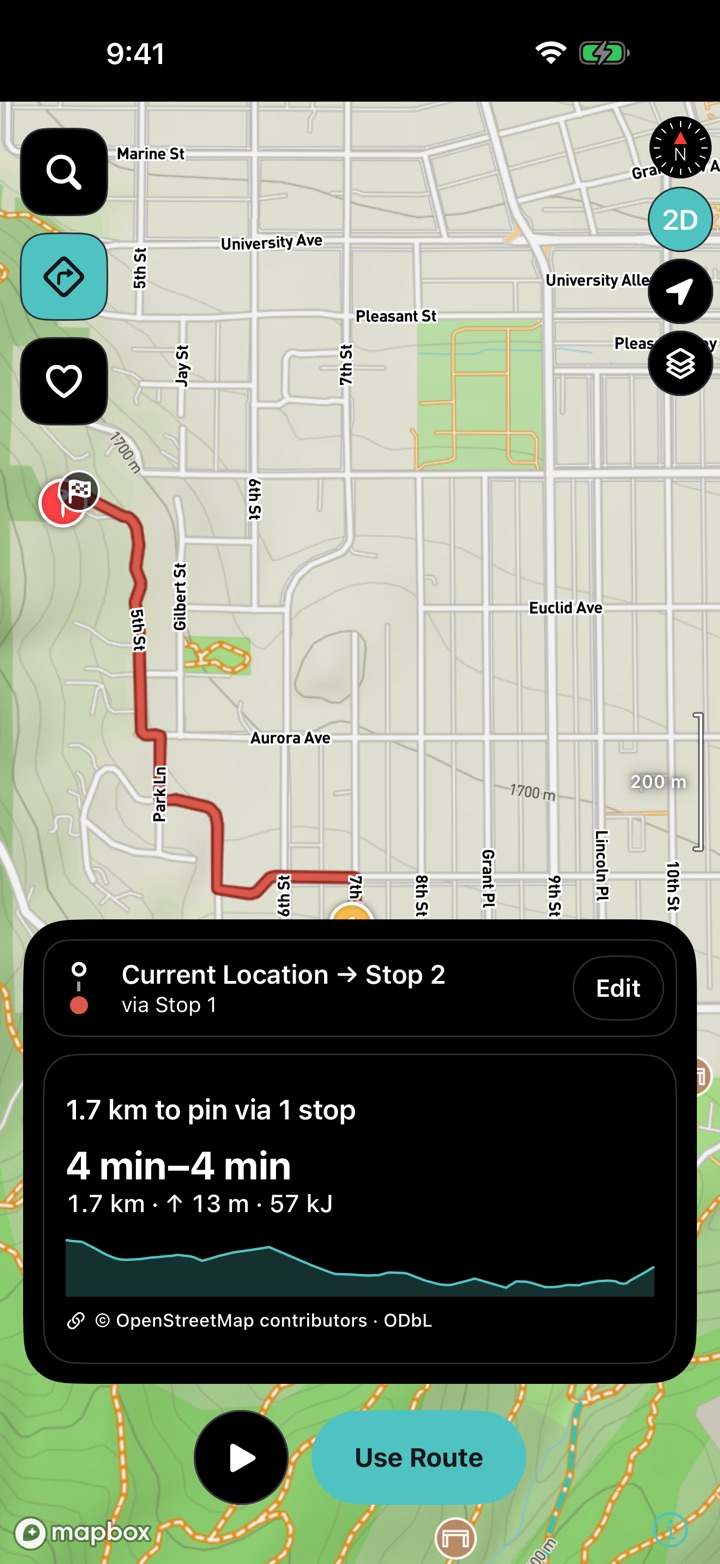
Set a max distance, a max time, or both, and Kardiacs builds a handful of loop options that start right where you are. Each one comes with the climb and the effort laid out, plus a heads-up if a section is steeper than your current fitness can hold pace on — so you spend less time planning and more time out there.

The Kardiacs home screen over a satellite map: Walk, Run and Cycle, with Commute, Explore and Indoor below
Turn-by-turn commute navigation in Kardiacs, with a target pace zone bar
Commuting

Get there fast. Arrive presentable.

Your route gets planned around your own fitness level, so it gets you to work or class quickly without leaving you drenched and out of breath. Kardiacs keeps the effort as low as it can, whatever the distance — a ten-minute walk or a ten-mile ride — and calls every turn on the way.

Planning a loop home mid-ride: start point, a back-by time, and the loop's distance, time, work and climb
A live outdoor session in Kardiacs with the route on the map and the ride controls
Stay found

Turned around? Just tap back.

Wander further than planned and Kardiacs routes you straight back — to your car, your front door, or wherever you started. Need to be home by a certain time? Say so mid-ride and it plans a way back that fits, with the distance, climb and effort up front. Maps for your area download ahead of time, so losing signal deep in a trail never turns into losing your way.

In-app weather in Kardiacs: hourly forecast, wind, air quality, UV index and daylight hours
Weather, in the app

Know what you're heading out into

Hour-by-hour forecast, wind speed and direction, air quality, UV index and how much daylight you've got left — plus any active weather alerts for where you are. It's right on the home screen, so checking the sky is part of getting ready instead of another app to open.

Structured running workouts recommended by Kardiacs, each with its interval chart, intensity factor and training-stress score
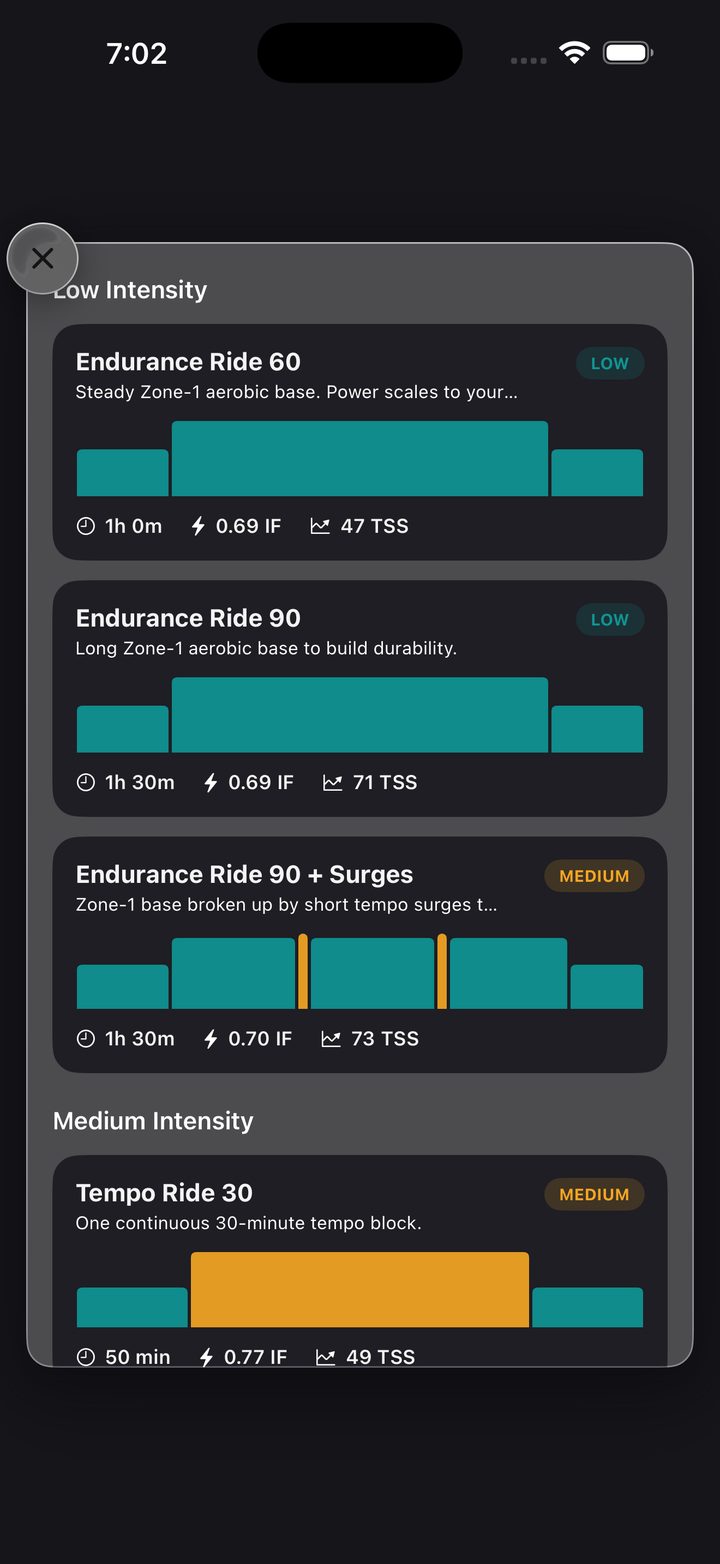
Structured indoor rides sorted by intensity, with interval charts and target power
Your workout, your way

Built around you — or built by you

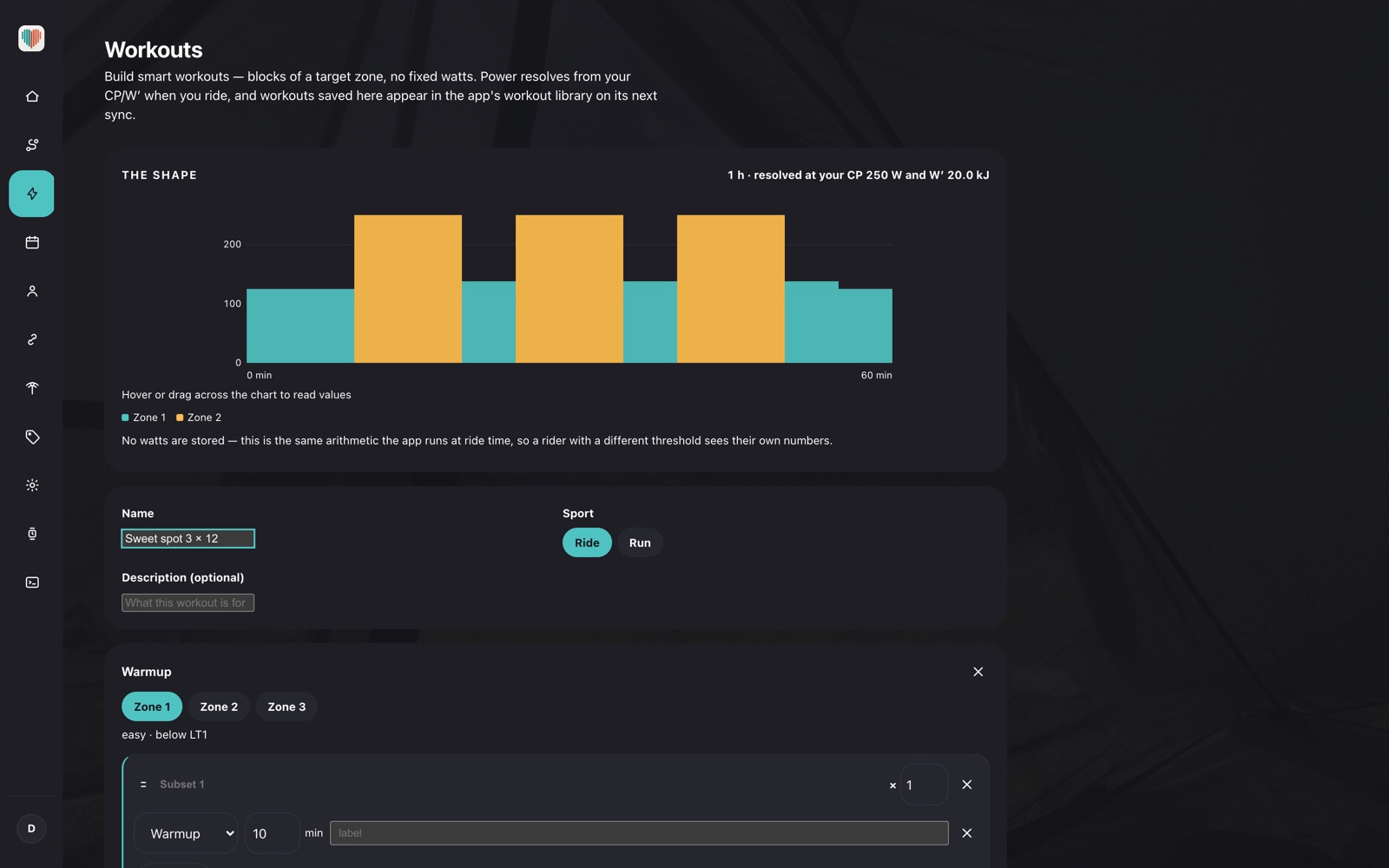
Indoors or out, every structured session is shaped around your own fitness — intervals, targets, intensity factor and training load all scaled to you, with heart rate and power keeping each block exactly where it should be. Want to take the wheel yourself? Build a workout from scratch, down to the interval, the target, and the zone.

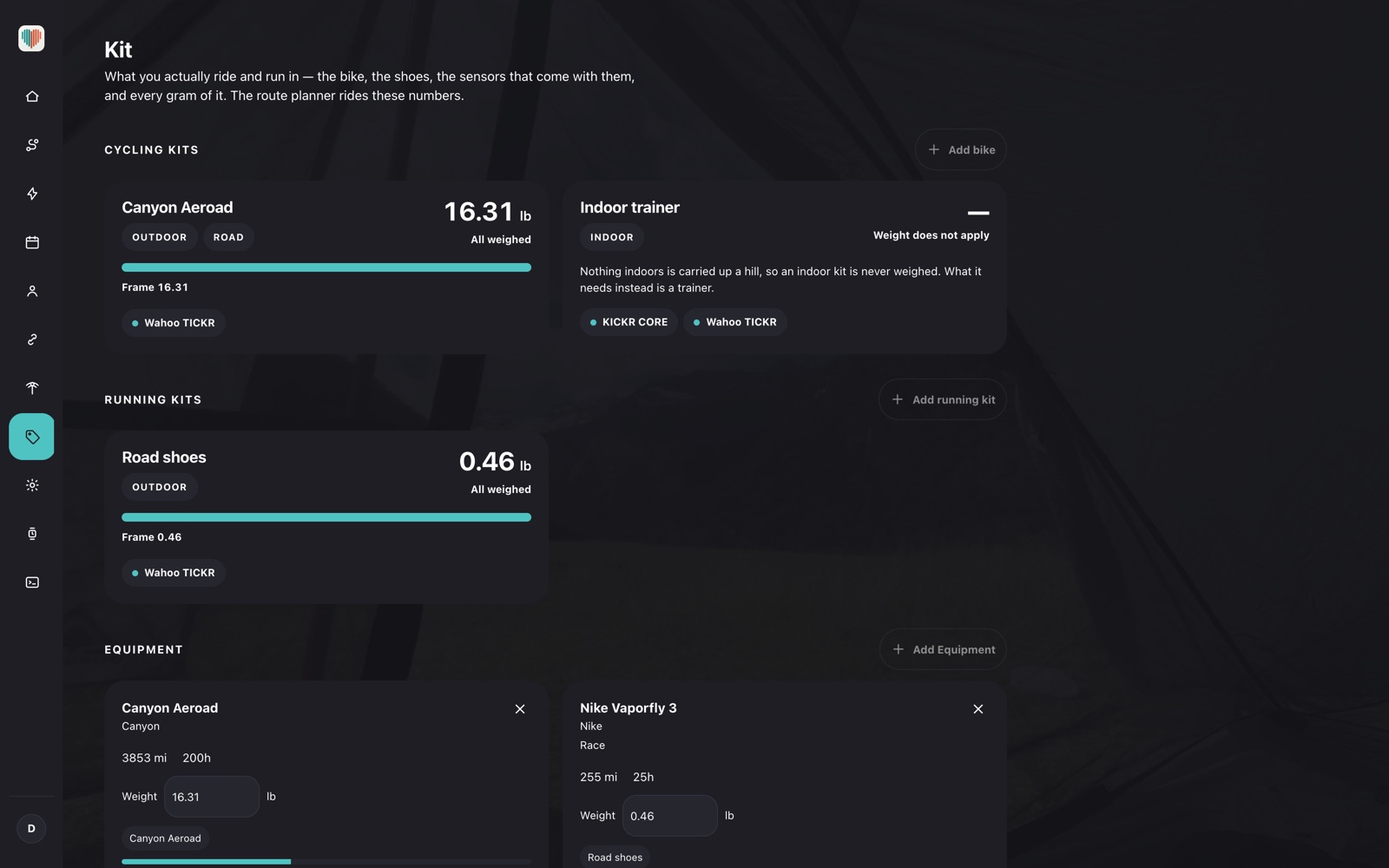
A cycling kit in Kardiacs with a smart trainer, power meter and Apple Watch paired
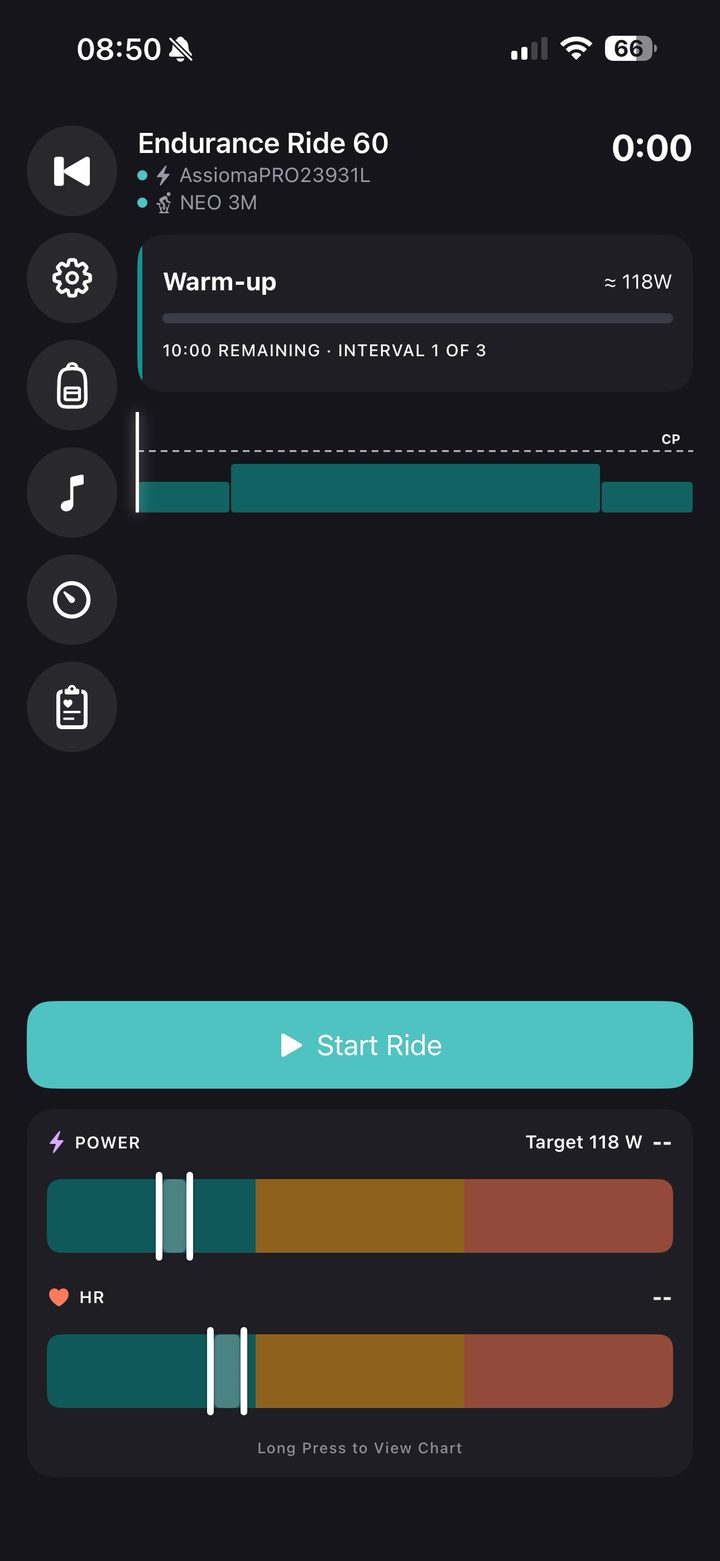
An indoor ride ready to start, with the trainer and power meter connected and target power shown
Trainers & sensors

Your whole setup, paired once

Save your trainer, power meter, heart-rate strap and watch together as a kit, and they reconnect the moment you start a ride. Kardiacs drives the trainer's resistance to hit each interval's target watts, so the workout holds its shape without you touching a thing.

An AI-built mix queued up in Kardiacs, each track matched to the interval's cadence in BPM
Now playing in Kardiacs, with recently played tracks and the rest of the queue
Music that matches the effort

A mix built for the session, not a shuffle

Kardiacs builds each ride or run its own mix from your own listening, matching every track's tempo to the cadence the interval is asking for — calm warm-ups, driving efforts, easy cool-downs. Skip, favorite, or stop the mix any time, from your phone or your wrist.

Health history in Kardiacs: sleep stages, sleep composition and HRV over the past week
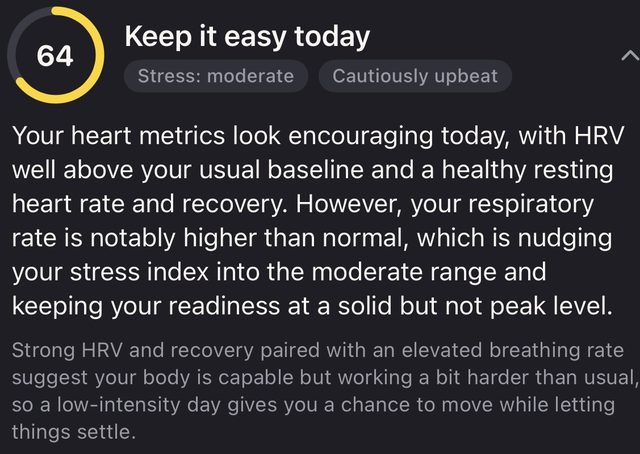
A daily readiness recommendation based on recent sleep and stress
Recovery, tracked

It reads your recovery, not just your effort

Sleep stages, heart-rate variability and stress get tracked right alongside your training and factored into what comes next. Running low? It steers you toward an easier route, or suggests a full rest day, instead of piling on another hard effort.

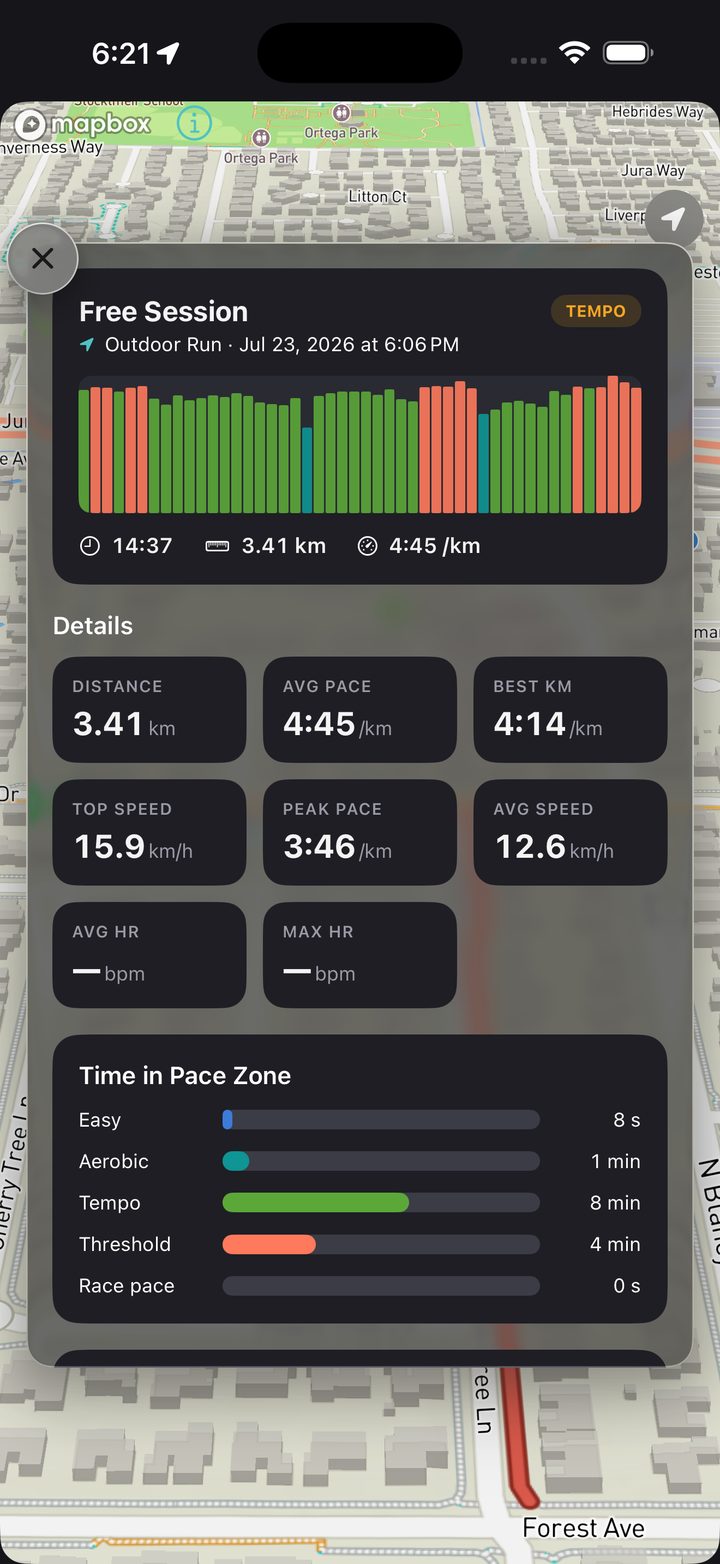
A run summary in Kardiacs: pace chart, distance, average and best splits, and time in each pace zone
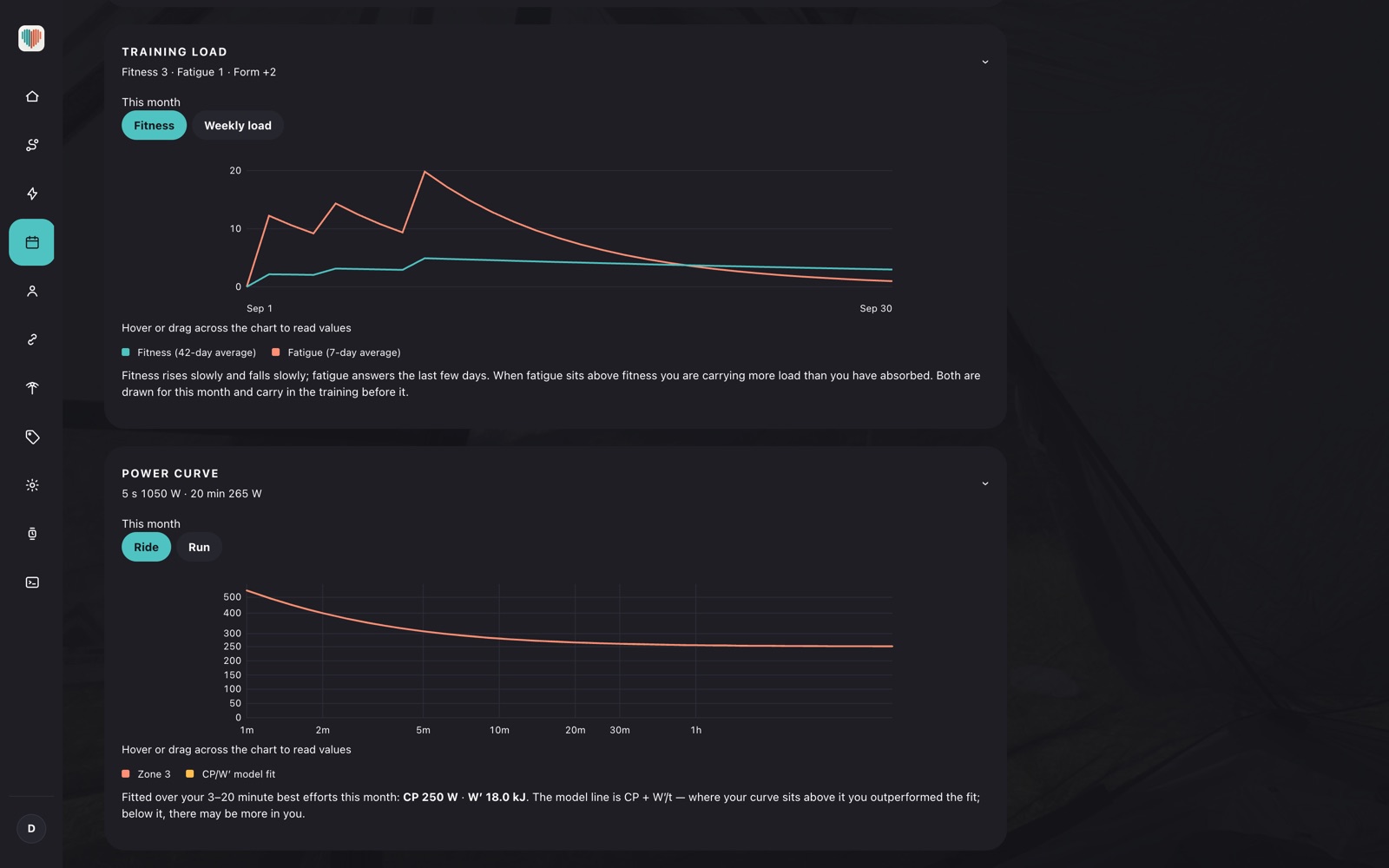
Power curve and training load fitness trends over time
Every session, analyzed

Every workout, broken down

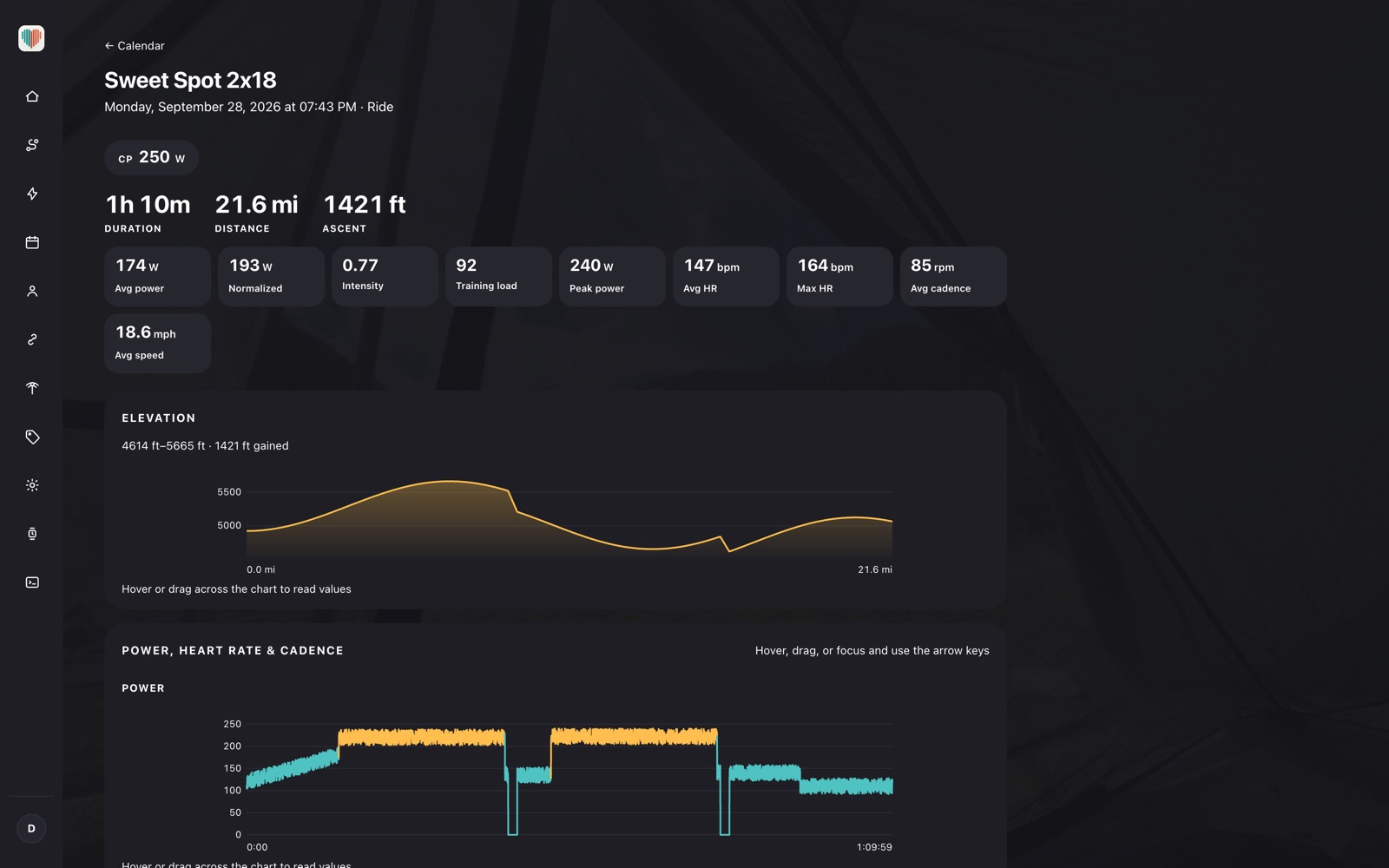
Pace and power curves, heart-rate drift, time in each zone, training load, fitness and fatigue trends — every past ride and run gets the full breakdown, in interactive charts built to dig into. See exactly how a session landed, and how your fitness is actually trending.

The Kardiacs activity picker on Apple Watch
Live pace and heart-rate zone bars on Apple Watch
Live heart rate, zone, cadence and distance on Apple Watch
Turn-by-turn guidance on Apple Watch: "Turn right onto Judah St in 111 m" over the route drawn on the map
Music controls on the Kardiacs Apple Watch app
On your wrist

Start it, run it, steer it — from the watch

Pick the activity, start the session, and watch your zones, heart rate, cadence and distance without ever reaching for your phone. The route map comes along too, and so do the music controls — the phone can stay in your pocket the whole way.

Kardiacs privacy settings: on-device AI, location data never uploaded, health data stays on the iPhone
Private by default

Your location and health data stay on your phone

Activities sync without GPS coordinates, and your planned routes and saved addresses never leave the device. Readiness runs entirely on-device, so nothing health-related is uploaded — and you can point playlist generation at Apple Intelligence on your own iPhone instead of the cloud, or turn AI features off altogether.

And it doesn't stop there

Everything else, included free

Routes built for the workout, not just the map

Training routes are shaped around the session you want — hill repeats, a flat tempo loop, or distance-matched long rides and runs.

Every trainer and sensor, one app

Garmin/Tacx and Wahoo smart trainers, heart-rate straps, power meters, and your Apple Watch or Wear OS device all connect over Bluetooth.

Maps downloaded before you leave

Your area downloads over Wi-Fi ahead of time, so the map draws and turn-by-turn keeps working with no signal at all — trail, canyon, or basement.

Plays nicely with what you already use

Apple Health both ways — workouts you did elsewhere come in, the ones you do here go back out — plus Strava upload and GPX routes you bring in yourself.

iPhone, iPad and Apple Watch

One app across all three, with the iPad laying the workout library, the plan and its power curve out side by side. Everything syncs through your account.

Nothing leaves your phone that doesn't have to

GPS coordinates, planned routes, saved addresses and health metrics all stay on the device — readiness and on-device AI run locally.

How it works

Set up once, guided every time after

1

Sign in with Google or Apple

No new password, no separate account — your profile, history and gear sync across every device you sign into.

2

Tell us about you (or connect Health)

Age and weight get you personalized zones on day one; Apple Health or Google Health fills the rest in automatically.

3

Ride, run, or commute — guided

Pick indoor, explore, or commute and the app hands you the workout, the route, and the playlist, adjusted to how you're actually doing today.

Everywhere you train

iPhone today. Android on the way.

Android and Wear OS are still in development — iPhone, iPad and Apple Watch are ready to use now.

 iPhone  iPad ⌚ Apple Watch 🤖 Android In development ⌚ Wear OS In development
About

Built by one engineer, not a company

MG
Marcus Gilchrist
Software & hardware engineer — previously Google, Uber, Microsoft, and Intel

I spent my career as a software developer and computer hardware engineer, working on mapping, AI, and infrastructure at places like Google, Uber, and Microsoft, and on computer architecture at Intel before that. Along the way I kept running into ideas that were technically interesting but never had a business case big enough for any of those companies to actually build.

Kardiacs is what happens when I stopped waiting for one. I finally get to build the things I actually wanted to use, myself — and give them to anyone else who wants them too.

The one real cost here is data — maps, routing, and syncing all cost money to run at scale, and that's exactly what the ads pay for. The best way to support the project is simpler than that, though: use the app, and tell someone who'd genuinely like it. Questions? Get in touch.

Your next session is already planned.

Download the app, sign in with Google or Apple, and your first workout, route, and playlist are ready to go.